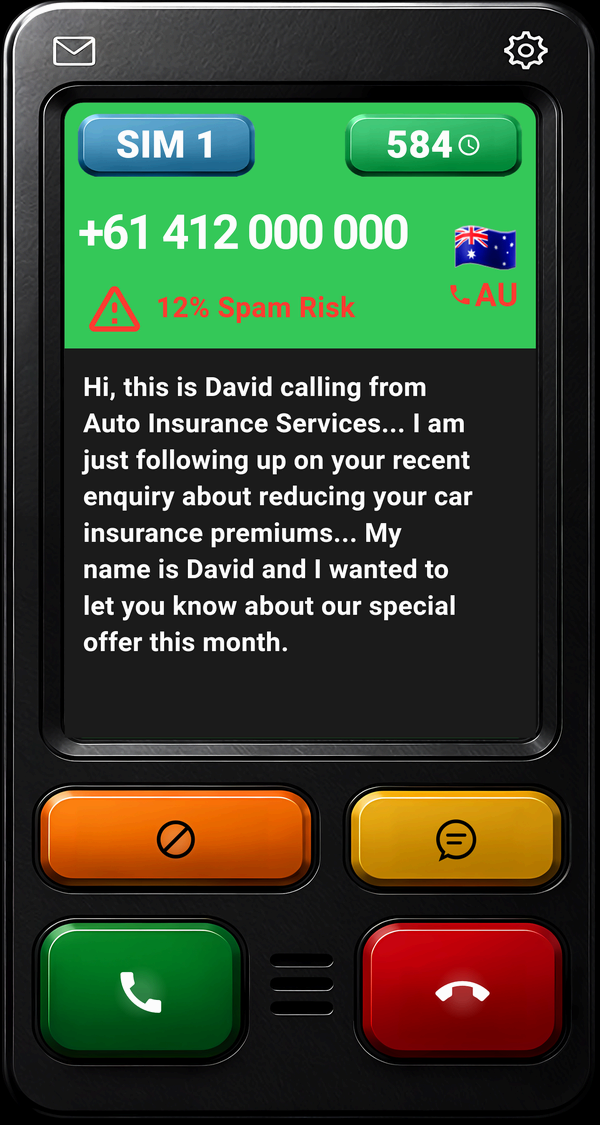
Every unknown caller identifies themselves while your phone is ringing, and you read their words live before you choose to answer. Android call screening and spam call blocking for any phone.
100% clean and green
Because you should NEVER have to share your data
NO Ads
NO Contacts shared
NO Caller audio recorded
NO Call logs or numbers recorded
NO Contracts
NO Subscription
NO Monthly fees
NO ID required
NO Personal data stored or sold
NO Credit card required
Built for business use, personal use, accessibility needs and everyone else.
Who's Calling + SPAM Guard, a clean, simple, powerful app for everyone who demands supreme privacy and autonomy!
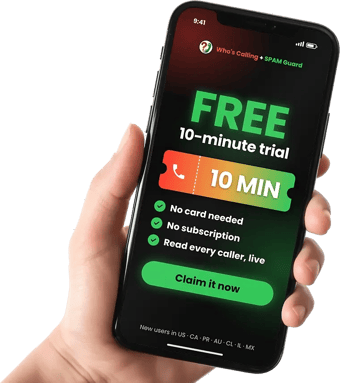
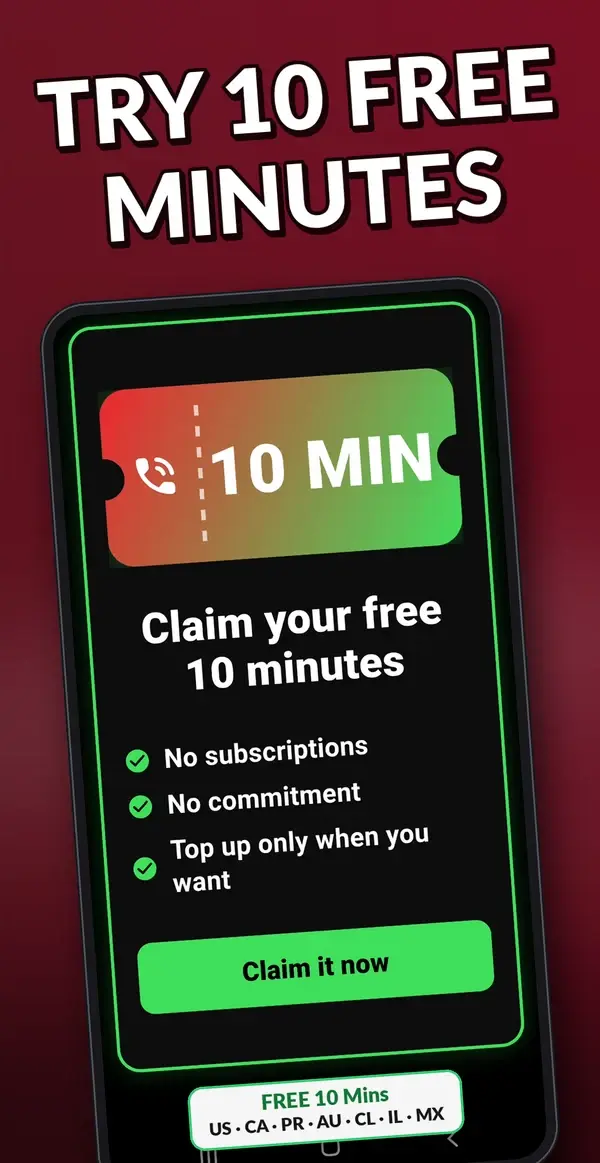
Install now and try it FREE**US, CA, PR, AU, CL, IL, MX
Live transcript as the caller speaks — see every word in real time
FREE 10 Mins: US, CA, PR, AU, CL, IL, MXFor businessStop spam callsKnow who's callingYour own messagesSee what's blockedEvery call as textNo subscriptions
See it in your language
The call screen. In any of 25 languages.
Select your language and see exactly how Who's Calling appears when a call comes in — every label, button and transcript in your language. These are real screenshots from the actual app.
+ 20 more languages ↓
Choose your language
🎙️
Caller speaks in any language
The caller hears a prompt in their own language asking them to identify themselves. You read the transcript in yours.
📄
Live transcript in your language
Every word the caller speaks is transcribed in real time and translated into your chosen language. A live transcript needs mobile data or Wi-Fi. Translation happens on your phone.
🔒
Translation stays on your phone
The caller's audio is never recorded or saved. Translation into your language happens on-device using downloaded language packs. Your calls stay private.
Interactive preview of the actual app
About the app
Everything your phone should have had from day one.
Who's Calling + SPAM Guard screens your calls before you answer — you always know who's calling, why, in your language, no matter what language the caller speaks.
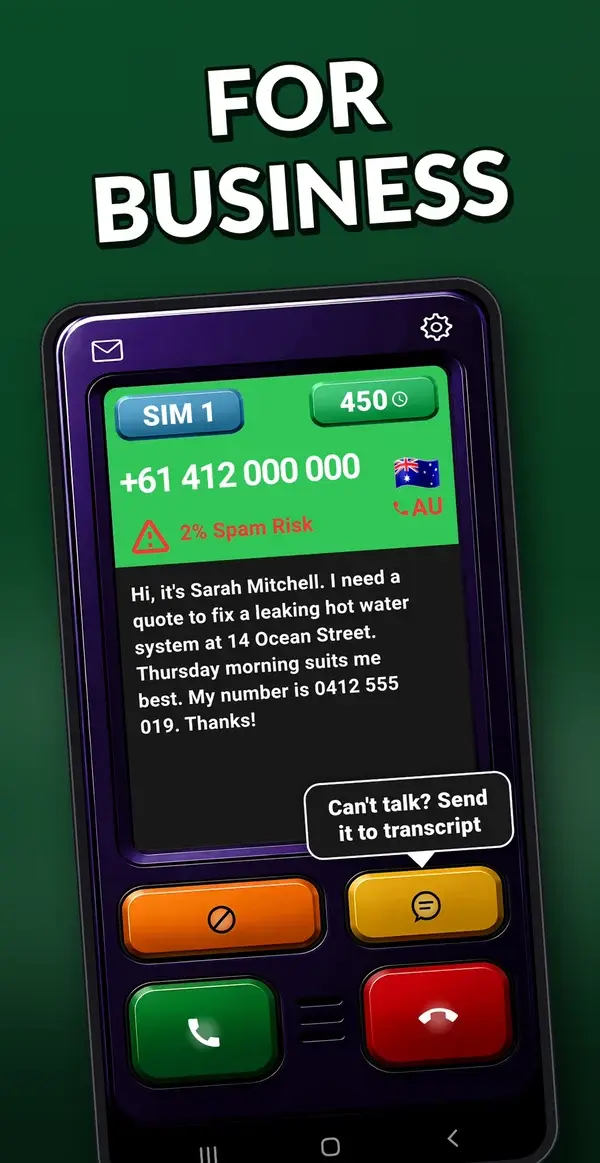
When an unknown number calls, Who's Calling receives it when your phone rings. The caller hears a prompt asking them to identify themselves. While they speak, you see a live transcript appearing word by word on your screen — along with their country of origin, caller language, and a spam risk score drawn from a global database of reported numbers. You then decide to answer, send them to your transcripts inbox as a written message of the caller's spoken words, or block and report them with a single tap.
📞 Call Screening
Live transcripts in your language — read what the caller says in real time
Contacts always ring through — only unknown callers are screened
Busy or unavailable — callers speak and their message is transcribed as a text transcript direct to the app inbox.
Caller language detected and displayed automatically
Caller country flag shown alongside their number
Decision timer matches your spam risk colour — green to red
🌐 Real-Time Cross-Language Translation
A caller speaks Spanish — you read it in English. Instantly.
A caller speaks Mandarin — you read it in Arabic. Instantly.
Any combination of 56 languages — caller and reader fully independent
A live transcript needs mobile data or Wi-Fi. Translation happens on your phone.
Download up to 3 language packs to your device for instant translation during a call. If a caller speaks a language you haven’t downloaded, you can download it in the app at any time and translate the transcript then — any supported language.
💼 Business Features
Custom voice introduction — a professional greeting before screening begins
Perfect for sole traders, freelancers, and small business owners
Dual SIM — two numbers, each fully independent
Per-SIM language, theme, ring behaviour and custom business intro message
Per-SIM Who's Calling active toggle — enable or disable independently
Multiple Caller Assistant messages for your caller to hear
Transcript Share Service — share any transcript to any shareable link, e.g. email, Facebook, SMS and many many more!
🎨 Call Screen Customisation
Four surface finishes — Gloss, Matte, Wood Grain or Powder Coat
12 colour tints with three intensity steps — 144 finishes in all
Transcript background — Dark (white text) or Light (black text on white card)
Transcript text size adjustment to suit every user
Decision timer changes colour to match your spam risk tier
All settings fully independent per SIM on dual SIM plans
🛡️ Spam Protection
Global spam database — checks every unknown caller instantly
Community-powered — every number you block protects other users worldwide
5 colour-coded risk tiers: green, blue, amber, orange, red
Auto spam block — for numbers marked as spam, you decide the % threshold at which they are blocked automatically
Auto-block your own list — any number you previously marked as spam is blocked automatically
🔒 Privacy
Caller audio is processed in memory only, is never recorded or saved and is destroyed within moments of the call ending
The caller's spoken words are transcribed — you receive a written transcript, never a recording
Contacts read locally, never transmitted
Only the caller's number is added to the global database when you block
No ads. No data selling. Ever.
♾️ One-Time Purchase
No subscription. No monthly fees. No ads.
Buy your plan once, it never expires
Top-up minute packs available when you need more minutes
Single SIM and Dual SIM plans available
Consumer and Business plans — minutes are set by your country, not by which plan you choose
In-app real-time monitoring — know exactly how many minutes you have, what you have used, and your historical usage
⚙️ Settings & Preferences
Complete app statistics: minutes remaining, and calls you've screened, answered, hung up on, blocked and reported
Ring behaviour — match phone, vibrate only, or silent
Independent ringer volume — set the screening ring level separately from your phone's
Caller Assistant Voice — choose female, male, or system default
App theme — Gloss, Matte, Wood Grain, or Powder Coat
All settings fully independent per SIM on dual SIM plans
🌍 International Coverage
Our app works in multiple countries worldwide
No ID required at all
Provisioning your Who’s Calling + SPAM Guard number is usually a matter of minutes. If demand is high it can take up to 72 hours — and we’ll keep you updated by email the whole way, so onboarding stays seamless.
Seamless onboarding through the app
⏱️ How your usage works
Your minute allowance is set by your country’s zone — the exact figure is shown in the app, in your local currency, before you pay
Time is counted from the moment the caller is connected and rounded up to the next whole minute, with a one-minute minimum
That covers the whole call, not just the screening — answer a call that runs 4 minutes 15 seconds and it uses 5 minutes
An unattended call is capped at 55 seconds — so it never costs more than one minute
Contacts ring straight through and are never screened, so they never use your minutes
Your plan minutes are used first, then top-up packs in the order you bought them — top-ups available in the app whenever you need them!
⏳ How long your minutes last
Your plan never expires. Its minutes expire 12 months after you bought the plan.
Upgrading changes your plan only. Your plan minutes, used and unused, carry over with the same expiry date.
Top-up packs are never affected by a plan change. Their minutes expire 12 months after you buy them.
Your plan minutes are always used first. Top-up minutes are used once your plan minutes run out or expire.
There is a lot more below. Nine sections covering call screening, live cross-language translation, spam protection, customisation, business features, privacy and plans — plus exactly how your minutes are counted.
Designed to look great
A call screen that's actually a pleasure to use.
Most call screening apps look like they were built in 2014. Who's Calling is designed from the ground up to look premium, feel responsive, and adapt to your style.
✨
Four surface finishes
The casing around the call screen takes on the finish of your choice. Gloss adds a polished lacquer sheen. Matte is soft and non-reflective. Wood Grain uses subtle grey tones for a premium texture. Powder Coat gives a fine speckled finish like professional hardware.
GlossMatteWood GrainPowder Coat
📄
Transcript background
Dark transcript shows white text on a dark card — matches the overall dark call screen. Light transcript shows black text on a bright white card — easy to read in any lighting condition. Adjust transcript text size to suit your preferences.
DarkLight
🌈
Colour-coded spam tiers
The entire call screen adapts to the spam risk level. Green for no reports, blue for low signal, amber for caution, orange for likely spam, red for high risk. The decision timer matches too.
GreenBlueAmberOrange / Red
🎨
12 colour tints
Every finish takes a colour of your choosing — twelve across the spectrum, each at three intensity steps, from a whisper of colour to fully saturated. The texture stays; only the colour changes. Four finishes times twelve tints times three intensities is 144 different call screens.
TintsIntensitiesFinishes
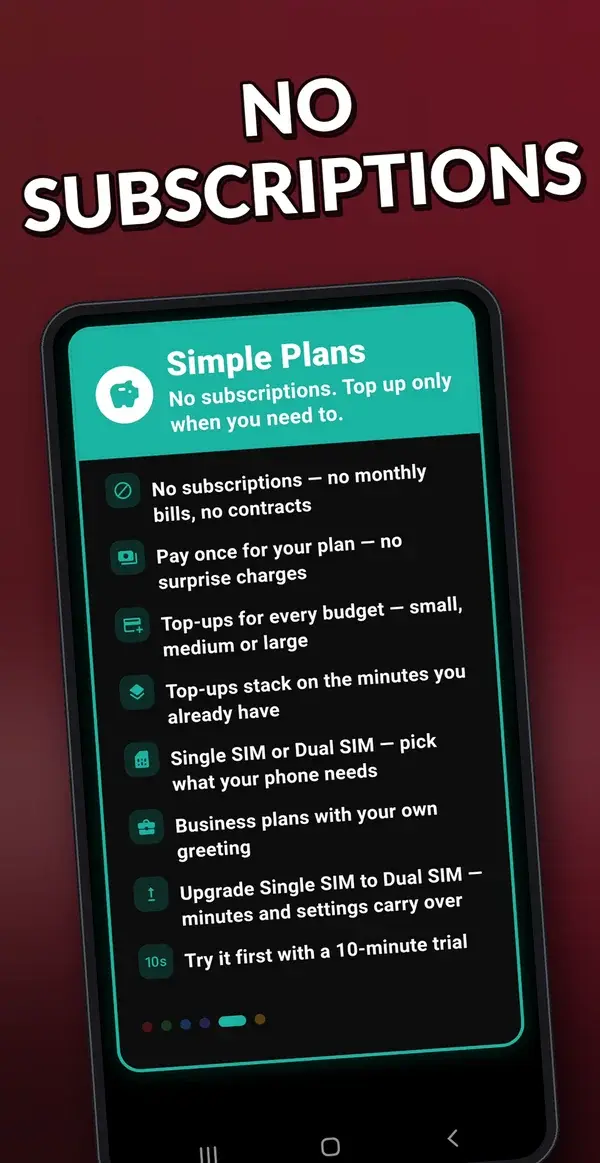
Simple plans
No subscriptions. Top up only when you need to.
Pay once for your plan at your country’s price, shown in the app before you pay. No monthly bills, no contracts.
🏷️
Pay once
One purchase on Google Play, priced for your country. No subscription, no recurring charges.
➕
Top-ups for every budget
Small, medium or large minute packs, stacked on the minutes you already have.
📱
Single SIM or Dual SIM
Consumer and Business plans, and you can upgrade from Single to Dual SIM later.
⏱️
Try it first
A 10-minute trial: free in selected countries, and a small one-off price elsewhere.
Available in selected countries. The app shows whether your country is open, or lets you join its waitlist. The app itself works in 25 languages wherever you are.
Privacy
Your data stays yours.
NO
🚫 Ads📇 Contacts shared🎙️ Caller audio recorded📋 Call logs or numbers recorded📝 Contracts🔄 Subscription📅 Monthly fees🆔 ID required🔒 Personal data stored or sold💳 Credit card required
FAQ
Questions people ask before they install.
Does Who's Calling + SPAM Guard work on any Android phone?
Yes. It works on Android phones from any brand, including Samsung, Motorola, Oppo and Pixel, not only Pixel phones. Setup uses your mobile carrier's call forwarding, and the app shows you the exact code to dial.
Can I read what an unknown caller says before I answer?
Yes. When an unknown number rings, the app asks the caller who they are and why they're calling, and you read a live transcript of their words while your phone is still ringing. Then you answer, take a message, or block the caller and mark them as spam.
Is there a subscription?
No. There is no subscription, no monthly fee and no ads. You buy a plan once on Google Play, priced for your country, and can add extra minute packs at any time. You can try it first with a 10-minute trial: free in selected countries, and a small one-off price elsewhere, shown in your local currency on Google Play.
What if the caller speaks a different language?
The caller's language is detected automatically and their words are translated into your language on screen. It supports 56 caller languages and 56 reader languages, and the translation runs on your phone.
Are calls from my contacts screened?
No. Calls from your contacts ring straight through as normal, and they never use minutes.
Is call audio recorded or stored?
No. Caller audio is never recorded or written to disk. It is held in memory only while the call is live, then erased. Your contacts are read on your phone and never uploaded.
How are minutes counted?
Time counts from the moment the caller connects and is rounded up to the next minute. An unattended call is capped at 55 seconds, so it never uses more than one minute. Calls from contacts never use minutes. Minutes expire 12 months after purchase; the plan itself never expires.
Which countries is it available in?
It is available in a growing list of countries. The app shows whether your country is supported, with prices in your own currency, before you pay.
Who's Calling + SPAM Guard is a one-time purchase — no subscription, no recurring charges. Exact pricing and minute allowances are shown inside the app in your local currency before you pay. Consumer and Business plans are both available, with Single SIM and Dual SIM options.
25 languages and lifetime updates. Google Play processes all payments securely. Top-up minute packs available anytime through your app.